
How to read Google Analytics active users alongside revenue
Active users can explain whether a revenue move came from audience size or monetization intensity. They do not prove causation and should not be treated as a revenue ledger.
AdMate helps place the signals in one workspace, but the original provider remains authoritative for permissions, definitions and finalized financial records.

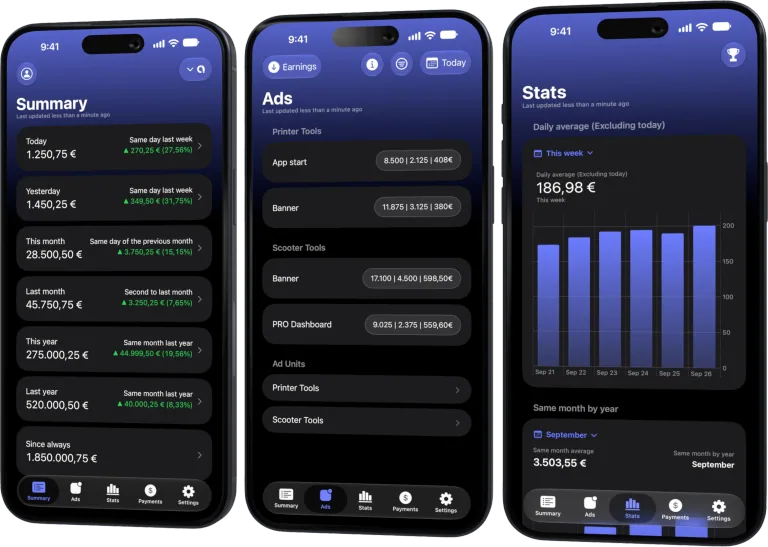
All your revenue in one dashboard
Track AdMob, AdSense, RevenueCat and App Store Connect across multiple accounts with filters by app, platform and country
Monitor revenue, clicks, eCPM, subscriptions, installs and payments on iPhone, iPad, Mac and Apple Watch
Match the app and calendar window
Select the same app, timezone-aware dates and comparable country or platform scope. Analytics and revenue providers may close a day at different boundaries, which is most visible around midnight.
Compare direction before ratios
Ask whether users and revenue moved together. Users up with flat revenue suggests lower monetization per user; flat users with higher revenue suggests stronger pricing, subscription or ad yield. Confirm the pattern across more than one day.
Respect consent and measurement gaps
Analytics can undercount users because of consent, platform restrictions, configuration or offline behavior. A change in measurement does not necessarily mean the audience changed.
Drill into the monetization source
For ads, inspect impressions and eCPM. For subscriptions, inspect trials, renewals, cancellations and refunds. Active users provide context, but the provider-specific driver identifies the action.
Review checklist
- Use one app and one complete period.
- Check timezone and data freshness.
- Compare trends before calculating ratios.
- Validate the driver in the revenue source.
Frequently asked questions
Are active users the same as paying users?
No. Active users include people who generated qualifying activity, not only customers.
Can a release distort the comparison?
Yes. A release can change analytics collection, engagement or monetization at the same time.
Which number is authoritative for revenue?
The relevant provider’s finalized financial report, not the analytics user count.
All your revenue in one dashboard
Track AdMob, AdSense, RevenueCat and App Store Connect across multiple accounts with filters by app, platform and country
Monitor revenue, clicks, eCPM, subscriptions, installs and payments on iPhone, iPad, Mac and Apple Watch

| FixoLab
How to compare Google Play acquisition with revenue
Compare store acquisition signals with monetization in AdMate without treating installs, users and revenue as interchangeable.
| FixoLab
How to review ad revenue and subscriptions together
Compare ad revenue and subscriptions in one report without mixing different metrics or counting the same revenue twice.
| FixoLab
How to compare country revenue without confusing volume and value
Separate audience scale, monetization yield and provider coverage when comparing countries in AdMate.
| FixoLab
How to calculate revenue per user with compatible metrics
Build a useful revenue per user calculation by matching population, period, currency and revenue definition.